

DingTalk
If you wish to receive immediate notifications via DingTalk when training completes or an error occurs, the DingTalk notification plugin is highly recommended.
Plugin Improvement
SwanLab plugins are open-source. You can view the GitHub source code. Your suggestions and PRs are welcome!
Preparation
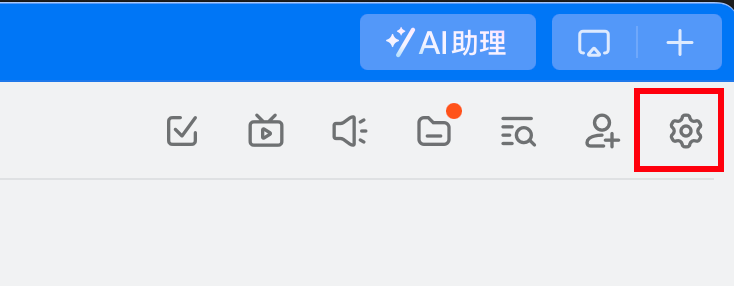
- In a DingTalk group (enterprise group), click the "Settings" button in the top right corner.
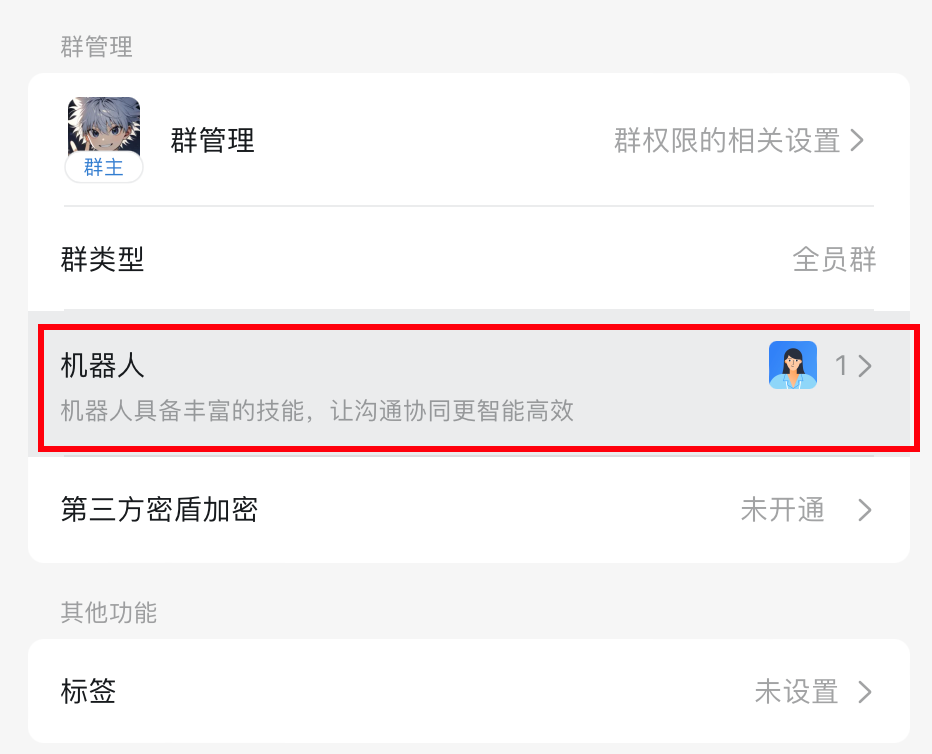
- Scroll down and find "Robots".
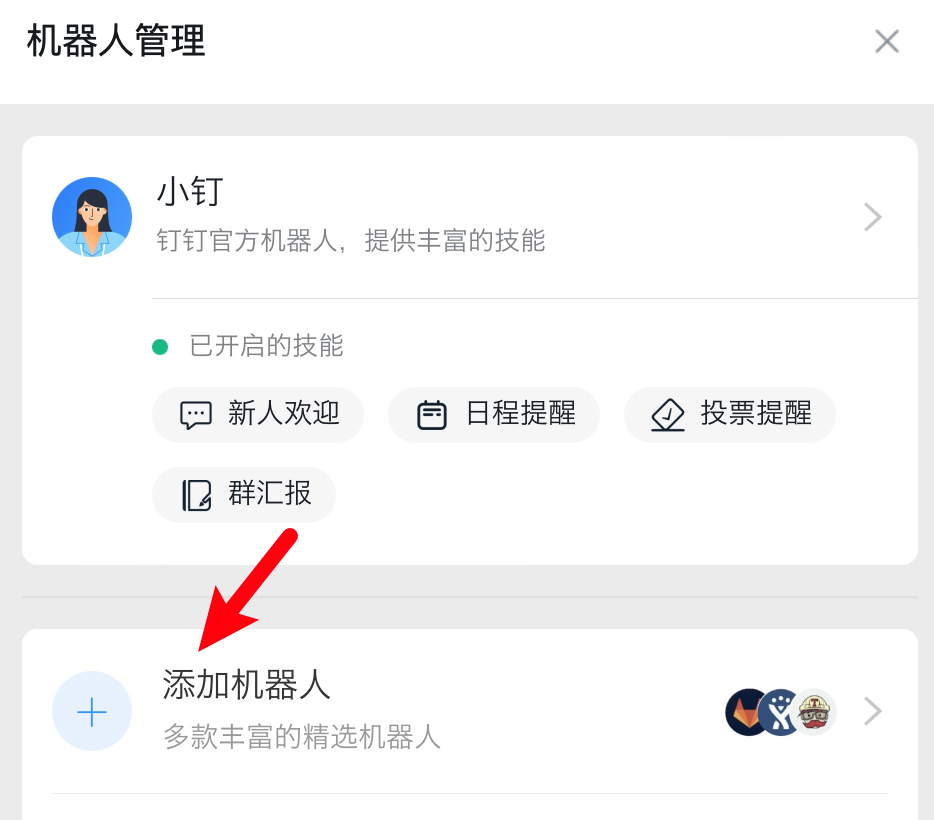
- Click "Add Robot".
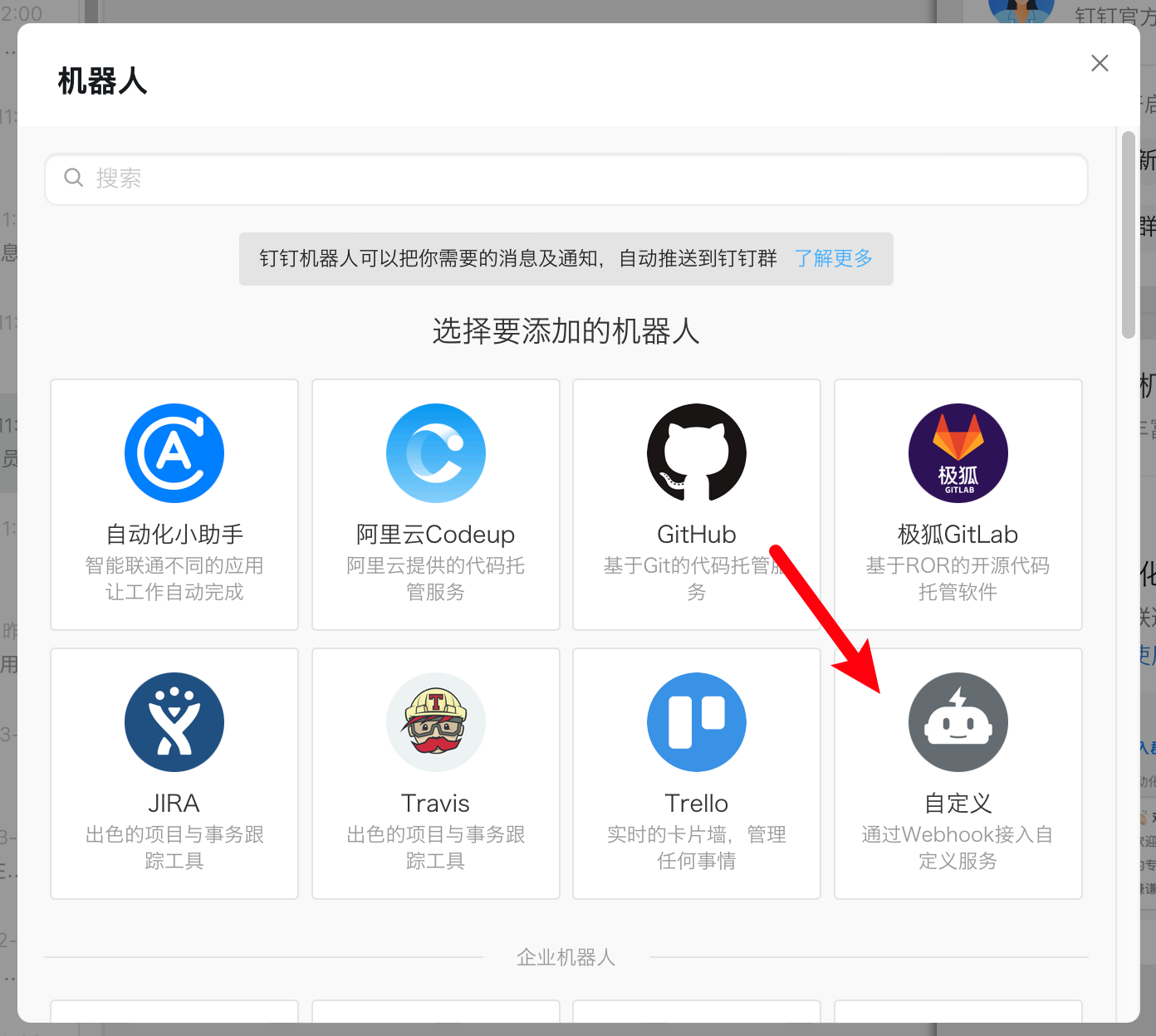
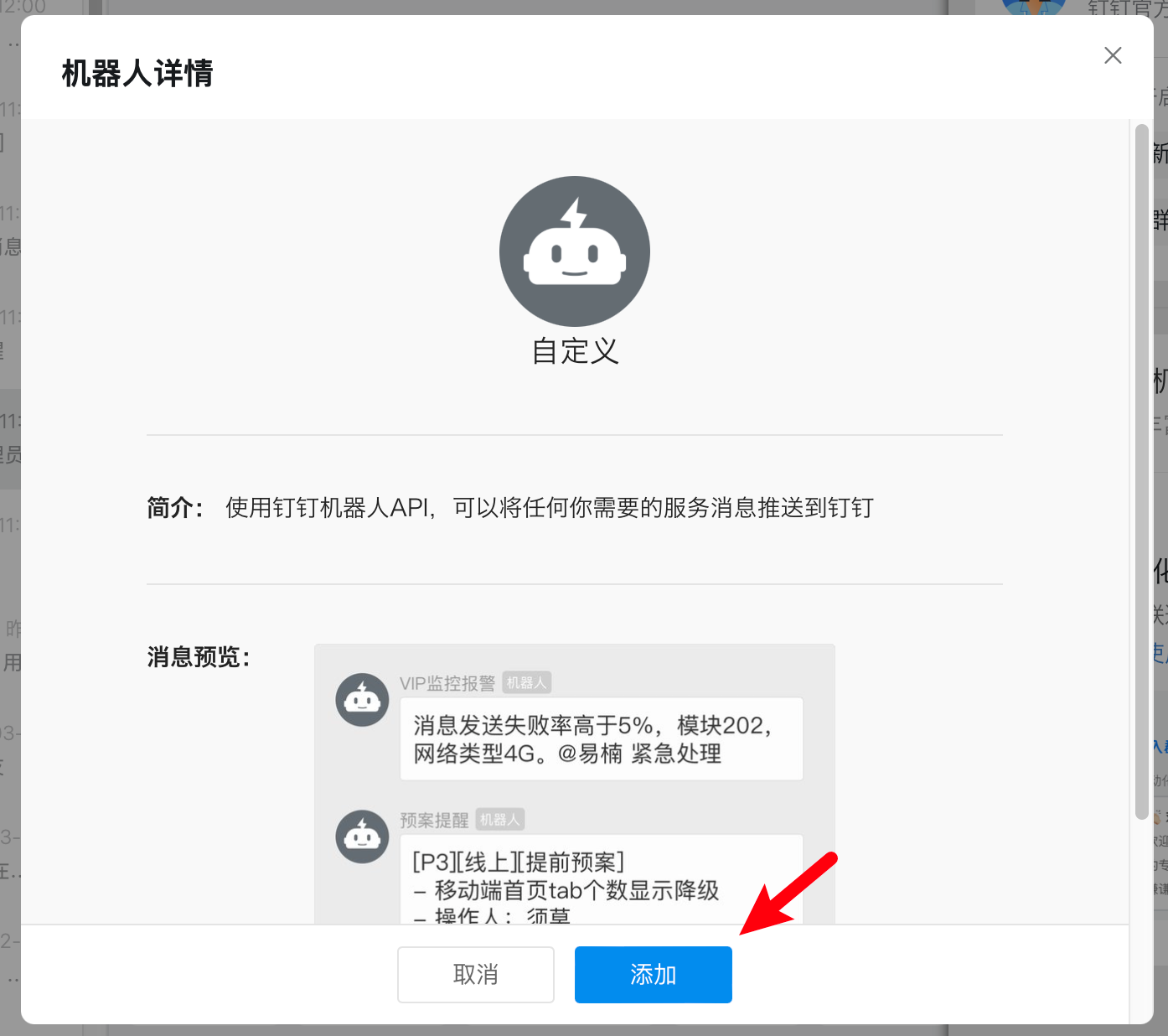
- Add a "Custom Robot".
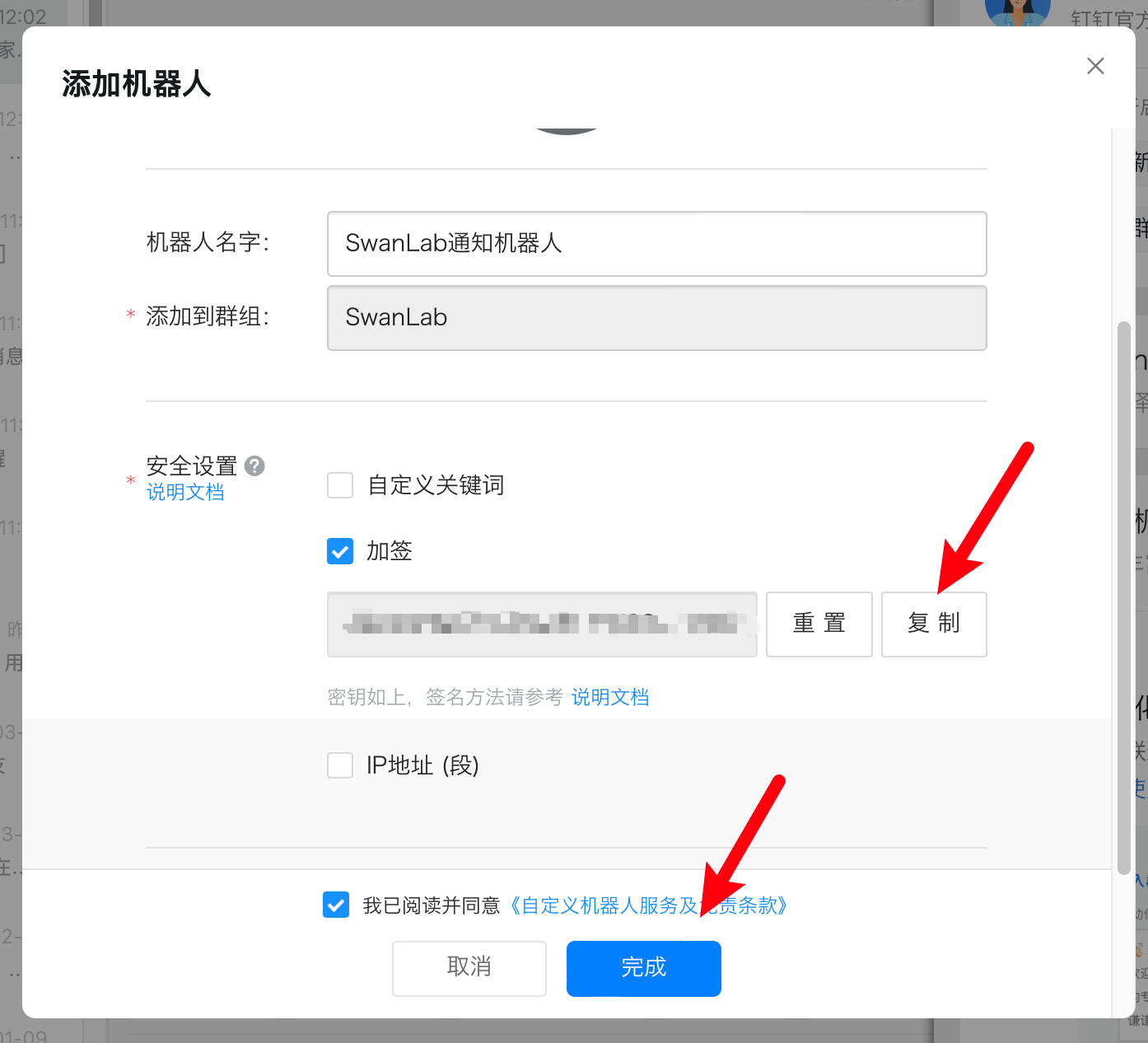
Check "Sign" and copy the token externally.
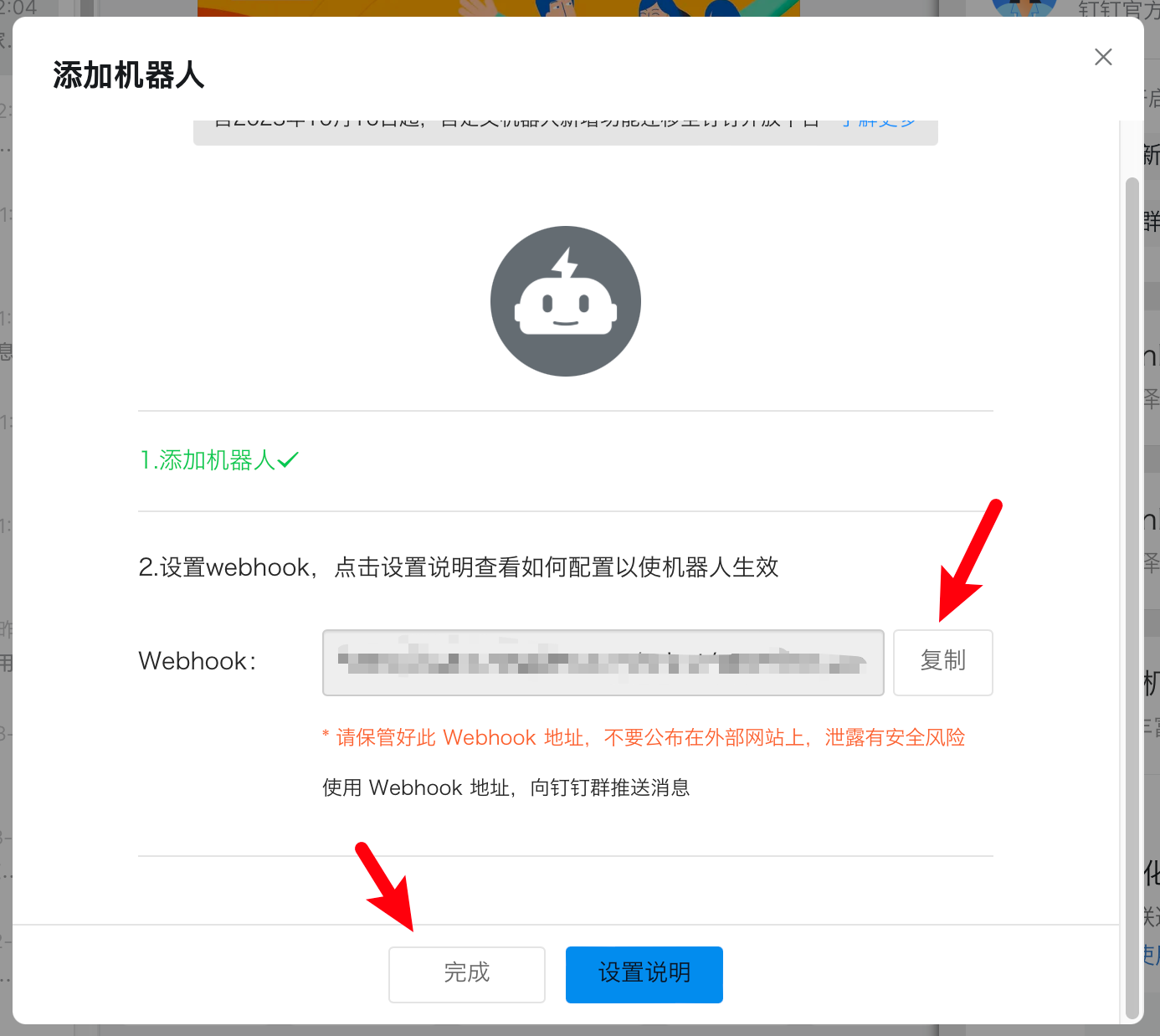
Copy the webhook and complete the robot creation:
At this point, your preparation is complete.
Basic Usage
Using the DingTalk notification plugin is straightforward. Simply initialize a DingTalkCallback object:
from swanlab.plugin.notification import DingTalkCallback

dingtalk_callback = DingTalkCallback(
    webhook_url="https://oapi.dingtalk.com/robot/xxxx",
    secret="xxxx",
)
Then pass the dingtalk_callback object into the callbacks parameter of swanlab.init:
swanlab.init(callbacks=[dingtalk_callback])This way, when training completes or an error occurs (triggering swanlab.finish()), you will receive a DingTalk notification.
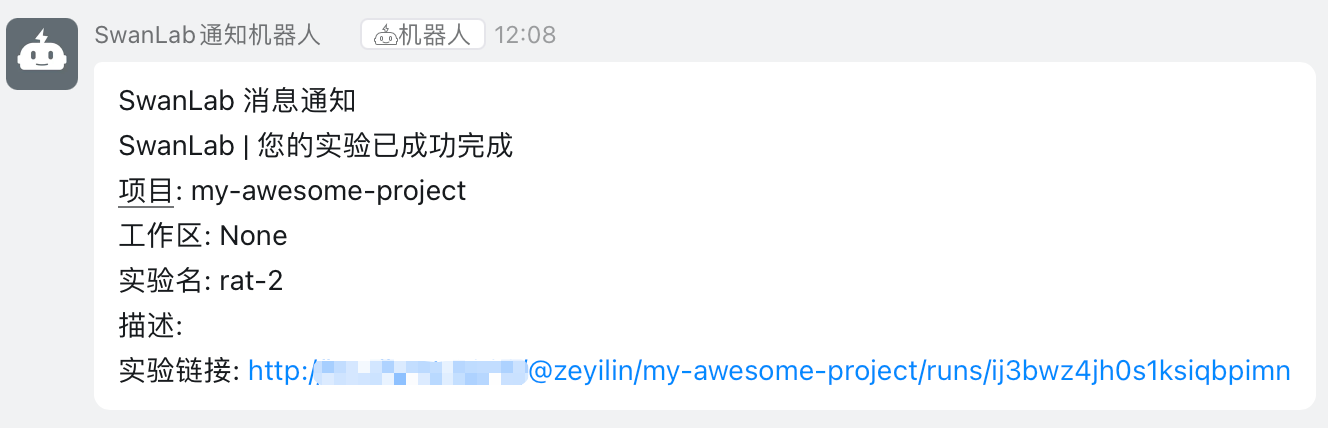
Custom Notifications
You can also use the send_msg method of the DingTalkCallback object to send custom DingTalk messages.
This is particularly useful for notifying you when certain metrics reach a specific threshold!
if accuracy > 0.95:
    # Custom scenario to send a message
    dingtalk_callback.send_msg(
        content=f"Current Accuracy: {accuracy}",  # Notification content
    )
Register plugins externally
If you are using the integration of SwanLab with other frameworks and thus find it difficult to locate swanlab.init, you can use the swanlab.register_callbacks method to pass in plugins externally:
import swanlab

# Equivalent to swanlab.init(callbacks=[...])
swanlab.register_callbacks([...])
Limitations
• The training completion/error notifications of the DingTalk notification plugin use the on_stop lifecycle callback of SwanKitCallback. Therefore, if your process is abruptly killed or the training machine shuts down unexpectedly, the on_stop callback will not be triggered, resulting in no DingTalk notification being sent.
• A more robust solution is anticipated with the release of SwanLab's Platform Open API.