

Email Notification

If you wish to receive immediate email notifications upon training completion or errors, the Email Notification plugin is highly recommended.
Improve the Plugin
SwanLab plugins are open-source. You can view the GitHub source code. Suggestions and PRs are welcome!
Preparation
Before using the plugin, you need to enable SMTP service for your email. Taking QQ Mail as an example:
Step 1: Access Email Settings
- Go to the QQ Mail webpage, click the "Settings" at the top.
- In the settings menu, select the "Account" option.
Step 2: Enable SMTP Service
- Locate "POP3/IMAP/SMTP/Exchange/CardDAV/CalDAV Service".
- Next to "Service Status," click "Enable Service".
- After completing some identity verification steps, enable the SMTP service.
- (Important) Save the authorization code provided to you.
Step 3: Record the Following Information
- SMTP Server Address: smtp.qq.com
- Port: 465 (SSL encryption) or 587 (TLS encryption)
- Sender Email: Your full QQ email address (e.g., 123456789@qq.com)
- Password: Use the authorization code you just obtained, not your QQ Mail login password.
Other email services generally support SMTP and can follow similar steps to enable the service.
Basic Usage
Using the email notification plugin is straightforward. Simply initialize an EmailCallback object:
from swanlab.plugin.notification import EmailCallback

# Initialize the email notification plugin
email_callback = EmailCallback(
    sender_email="<Sender email, the one with SMTP service enabled>",
    receiver_email="<Receiver email, the one you want to receive notifications>",
    password="<Your authorization code>",
    smtp_server="<Your email server>",
    port=587,
    language="en",
)
Then pass the email_callback object into the callbacks parameter of swanlab.init:
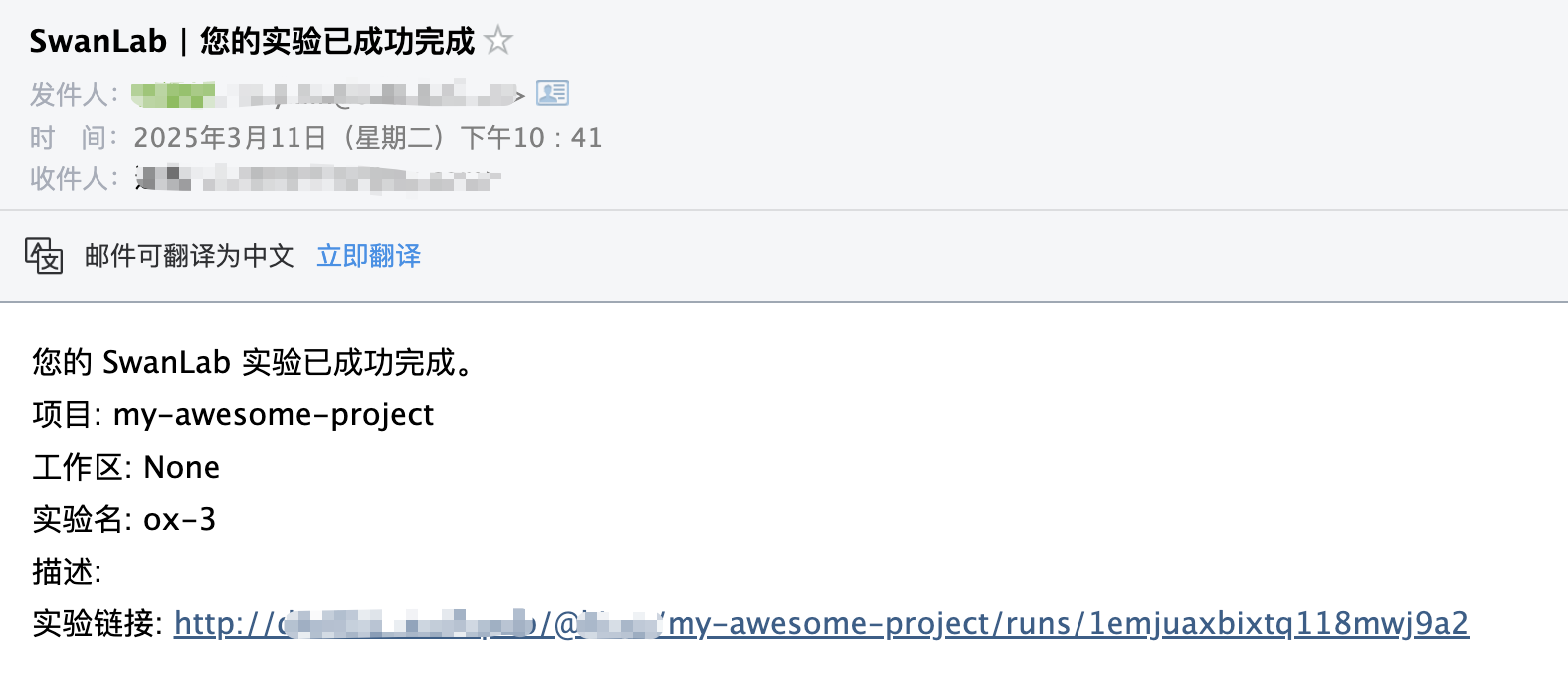
swanlab.init(callbacks=[email_callback])This way, when training completes or an error occurs (triggering swanlab.finish()), you will receive an email notification.
Custom Notifications
You can also use the send_email method of the EmailCallback object to send custom emails.
This is particularly useful for notifying you when certain metrics reach specific thresholds!
if accuracy > 0.95:
    # Send a custom email
    email_callback.send_email(
        subject="SwanLab | Accuracy > 0.95",  # Email subject
        content=f"Current Accuracy: {accuracy}",  # Email content
    )
Register plugins externally
If you are using the integration of SwanLab with other frameworks and thus find it difficult to locate swanlab.init, you can use the swanlab.register_callbacks method to pass in plugins externally:
import swanlab

# Equivalent to swanlab.init(callbacks=[...])
swanlab.register_callbacks([...])
Limitations
• The training completion/error notification of the email notification plugin relies on the on_stop lifecycle callback of SwanKitCallback. Therefore, if your process is abruptly killed or the training machine shuts down unexpectedly, the on_stop callback will not be triggered, and no email notification will be sent.
• A more robust solution will be available with the launch of SwanLab's Platform Open API. Stay tuned!