

SwanLab SSO Prerequisites
Before configuring SSO, prepare the environment, network, permissions, and IdP settings.
1. Confirm the External Access Address
SSO relies on browser redirects between SwanLab and the IdP, so SwanLab must generate a stable external URL that users' browsers can access.
For self-hosted deployments, we recommend explicitly setting the following value in the deployment configuration (values.yaml):
global:
  settings:
    host: https://swanlab.example.com
This address should be the root address users enter in a browser to access the SwanLab site. Do not manually append any path:
| User access address | Recommended configuration |
|---|---|
https://swanlab.example.com | https://swanlab.example.com |
SwanLab generates the following protocol URLs based on this root address:
https://<SwanLab external address>/api/auth/sso/...If it is not explicitly configured, the system attempts to infer the external address from request information. This default inference is not recommended in production because it may cause issues.
2. Network
2.1 HTTPS
HTTPS is recommended for all SSO environments. Many IdPs require callback addresses to use HTTPS by default, and browser cookies, secure redirects, and enterprise gateway policies also usually require HTTPS.
If a test environment must use HTTP, first confirm whether the IdP allows HTTP Redirect URIs, ACS URLs, or Metadata URLs.
2.2 Connectivity
The SwanLab server must be able to access the related IdP addresses:
| Protocol | SwanLab server must access |
|---|---|
| OAuth2 | Authorization Endpoint, Token Endpoint, Userinfo Endpoint |
| OIDC | Issuer Discovery, Token Endpoint, JWKS URL |
| SAML2 | IdP Metadata URL, IdP SSO URL |
If the self-hosted environment is on an internal network, confirm that DNS, proxy, firewall, and certificate trust chains have all been configured.
The current server-side timeout for SSO requests to the IdP is 10 seconds.
3. Server Settings
OIDC and SAML2 both validate token or assertion validity periods. Ensure that the SwanLab server and IdP server clocks are synchronized. NTP is recommended.
Excessive clock skew may cause:
- The OIDC ID Token to be expired or not yet valid.
- The SAML Assertion to be expired or not yet valid.
- SAML Audience/Conditions validation to fail.
4. Prepare User Fields
Before configuring any protocol, confirm the following fields with the IdP administrator:
| Field | Requirement | Purpose |
|---|---|---|
| Third-party unique user ID | Stable, unique, non-reusable, and not empty | Uniquely identifies a third-party user in an IdP. Duplicates cause binding and automatic account creation to fail |
| Third-party username | Preferably stable and compliant with SwanLab username rules | Used as the default username when self-hosted OIDC/SAML2 automatically creates an account |
Do not use names, nicknames, department names, or other fields that may duplicate or change as the unique user ID.
Recommended fields:
| Protocol | Recommended unique user ID field | Recommended username field |
|---|---|---|
| OAuth2 | id, uid, user_id, sub | username, login, preferred_username |
| OIDC | sub | preferred_username, name |
| SAML2 | Stable Attributes such as uid, employeeNumber, and email | username, uid |
Note:
- Field mappings use field names from the data returned by the IdP, not the actual field value of a specific user.
- Email addresses are not recommended as usernames, because special characters will cause validation to fail.
5. Prepare Basic Provider Information
All protocols require the following basic fields:
| No. | Field | Required | Description |
|---|---|---|---|
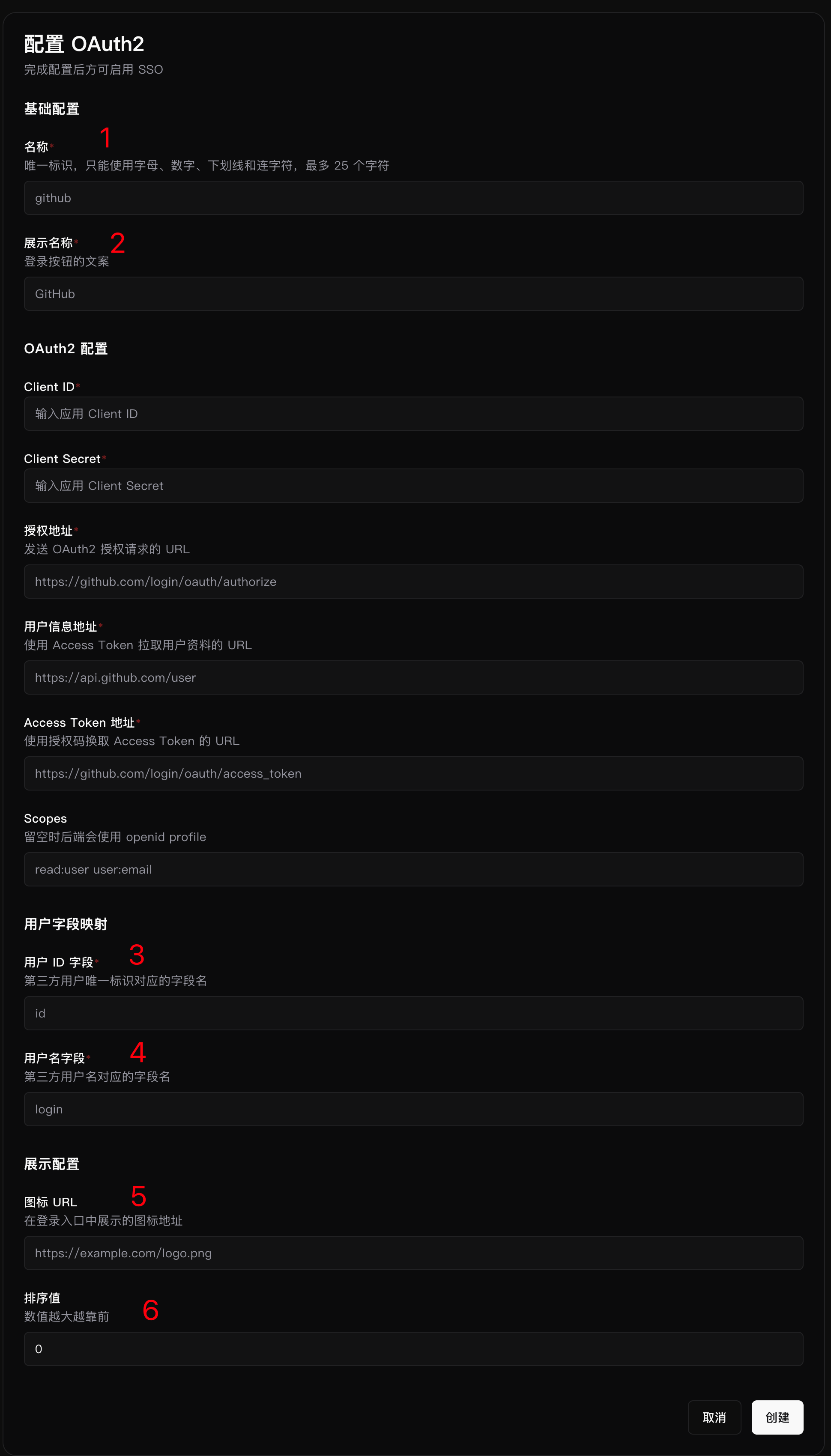
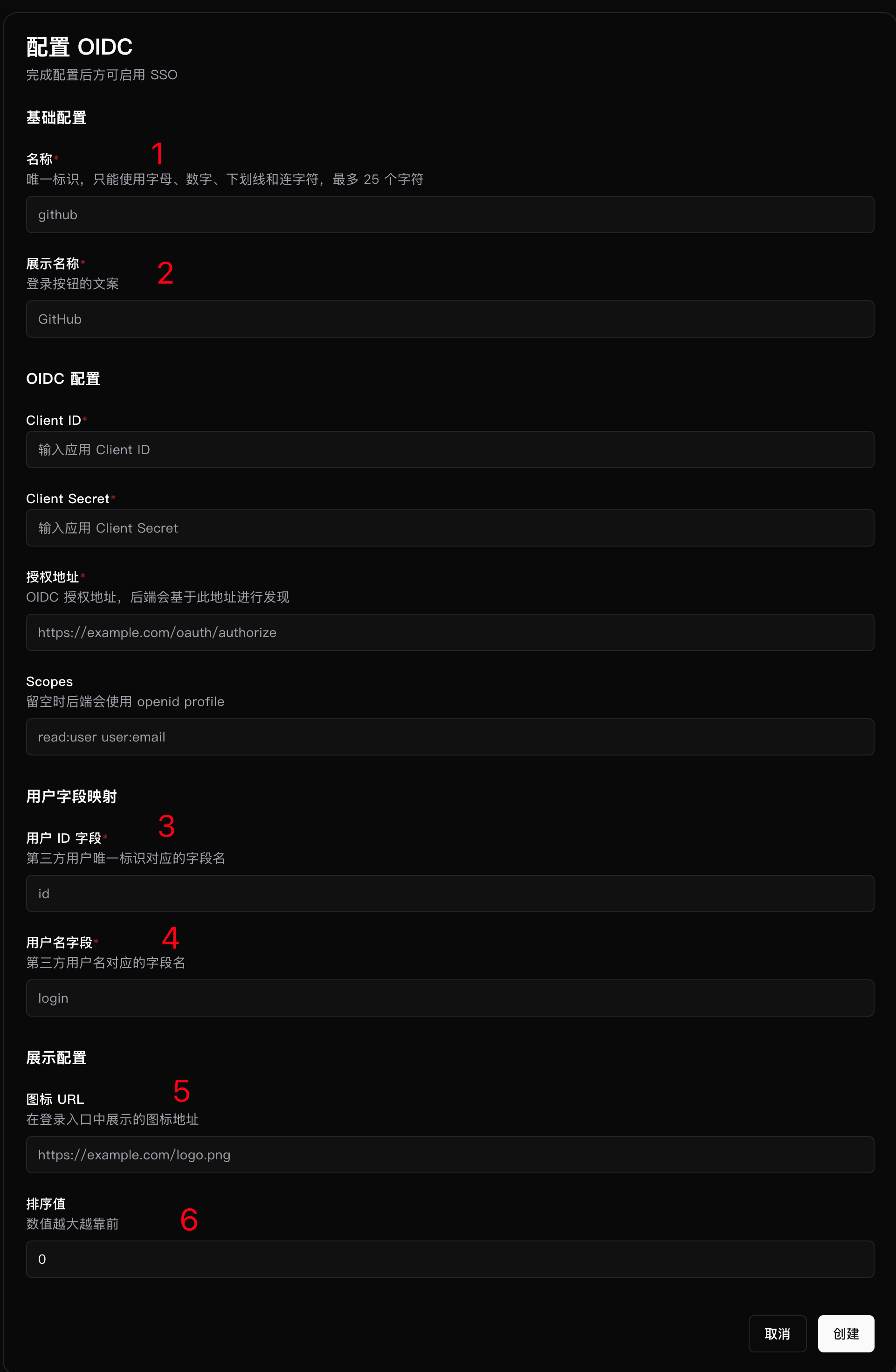
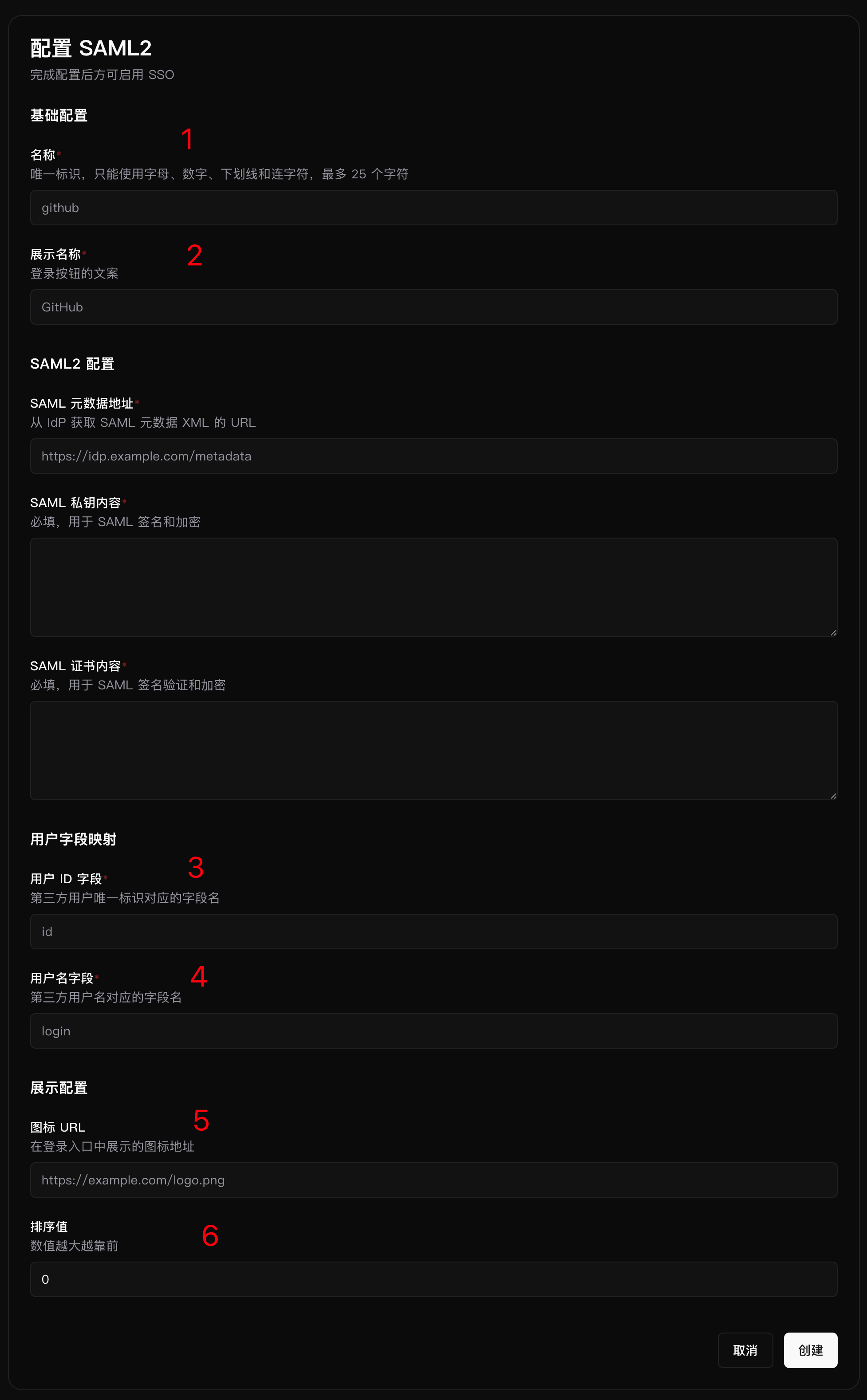
| 1 | Name | Yes | Unique Provider identifier. Up to 25 characters. Only letters, digits, underscores, and hyphens are allowed |
| 2 | Display name | Yes | Name shown on the login button. Up to 100 characters |
| 3 | User ID field | Yes | Field name corresponding to the third-party unique user ID |
| 4 | Username field | Yes | Field name corresponding to the third-party username |
| 5 | Icon URL | No | Icon URL shown in the login entry |
| 6 | Sort value | No | Non-negative integer. Larger values appear earlier |
The Provider name appears in callback addresses. After going live, changing the name usually requires synchronizing the callback address or SAML configuration in the IdP. Keep the name unchanged unless necessary.
5.1 OAuth2
5.2 OIDC
5.3 SAML2
6. Verification After Configuration Changes
If you modify any of the following items, we recommend saving the Provider again in the SwanLab admin console and using the test function again to confirm that the configuration has taken effect:
- OIDC Issuer, Client, certificate, or JWKS.
- SAML2 Metadata, certificate, private key, ACS, EntityID, or attribute mapping.
- SwanLab external access address, deployment path, or Provider name.
SwanLab caches IdP information for OIDC/SAML2 in the backend. If information on the IdP side changes, SwanLab may not synchronize the updates immediately. You can refresh the cache by modifying any field in the corresponding SwanLab configuration.